
If you spot stranded inventory in your Amazon Seller Central account, act immediately: open the Fix stranded inventory report, identify the stranded reason for each ASIN, and apply the recommended fix or raise a removal order before Amazon auto-removes your stock.
Here is your three-step immediate action plan:
- Run the Stranded Inventory report via Inventory → Manage Inventory → Inventory Dashboard → Fix stranded inventory. Note the stranded reason for every affected SKU.
- Apply the recommended fix shown in the report: relist the offer, correct a missing attribute, adjust the price, or request category approval. If the stock is uneconomic to fix, create a removal order straight away.
- Log a Seller Support case if the stranded reason looks like an Amazon-side error (an ASIN merge you did not request, a system glitch, or an incorrect restriction flag). Include your ASIN, SKU, and a screenshot of the stranded reason.
Key takeaways
Stranded inventory is fixable in most cases within 24–48 hours, but only if you find it before Amazon’s auto-removal window closes.
| Point | Details |
|---|---|
| Run the report weekly | Check Fix stranded inventory in Seller Central every week to catch issues before the auto-removal deadline. |
| Fix by priority | Sort stranded ASINs by value and sales velocity; resolve high-impact SKUs before slow movers. |
| Auto-removal window | Amazon typically removes stranded stock after a certain period, charging removal fees in addition to storage costs. |
| Prevent at source | Confirm listings are active before every inbound shipment and audit pricing rules weekly to stop stock becoming stranded. |
| Osellpa automates detection | Osellpa’s API integration flags listing errors and inactive offers automatically, so you act before the deadline, not after. |
Key timing windows
| Event | Timeframe | Source |
|---|---|---|
| Auto-removal of stranded stock | Several weeks | Enso Brands practitioner guide |
| Fix propagation in the report | Typically 24–48 hours | Enso Brands practitioner guide |
Table of Contents
- What is stranded inventory on Amazon FBA?
- Where to find stranded inventory in UK Seller Central
- How to fix stranded inventory step by step
- How to fix large numbers of stranded SKUs in bulk
- Daily, weekly and monthly habits that prevent stranded inventory
- How Osellpa helps you detect and prevent stranded inventory
- The three mistakes sellers make with stranded inventory
- Osellpa: automated inventory monitoring for Amazon sellers
- Sources
What is stranded inventory on Amazon FBA?
Stranded inventory is FBA stock sitting physically inside Amazon’s fulfilment centres that has no active, purchasable offer attached to it. The units are present and accounted for in the warehouse, but buyers cannot find or purchase them because the listing is inactive, deleted, or missing required data.
This is different from two other problem stock categories sellers often confuse it with. Dead stock is slow-moving inventory that still has an active listing but generates little or no sales. Unfulfillable inventory refers to units Amazon has flagged as damaged or defective and will not ship to customers. Stranded stock, by contrast, is typically fixable: the units are fine, the listing just needs attention.
The commercial consequences are real. You continue to pay FBA storage fees on units that generate zero revenue. Your Inventory Performance Index (IPI) score takes a hit, which can restrict your future storage allowance. And if you take no action, Amazon will auto-remove or dispose of the stranded units after a period unless you act, charging removal fees on top.
Where to find stranded inventory in UK Seller Central
The path in UK Seller Central is: Inventory → Manage Inventory → Inventory Dashboard → Fix stranded inventory. The Inventory Dashboard gives you a headline count of stranded units; clicking through takes you to the full Stranded Inventory report for detailed management.
Key report columns to check
| Column | What it tells you |
|---|---|
| SKU / ASIN | Identifies the exact product affected |
| Units stranded | How many units are currently inactive |
| Stranded reason | The specific cause Amazon has flagged |
| Recommended action | Amazon’s suggested fix for that reason |
| Auto-removal date | The deadline before Amazon removes the stock |
The Stranded reason and Recommended action columns are the two you should triage first. Sort by auto-removal date to prioritise units closest to the deadline.
You can export the full report to CSV by selecting Download in the report header. Include all default columns; the exported file gives you a working list you can sort, filter, and share with your team. Changes you make in Seller Central (relisting, attribute edits, price corrections) typically propagate back into the report within 24–48 hours, so check again the following day to confirm the fix has cleared.
Pro Tip: Set a browser bookmark directly to the Fix stranded inventory page in Seller Central. Navigating there takes seconds, and sellers who check it weekly catch issues long before the auto-removal clock becomes a problem.
How to fix stranded inventory step by step
The Fix stranded inventory help page lists every stranded reason and its recommended action. The general troubleshooting flow is:
- Identify the stranded reason in the report.
- Follow the recommended action shown in the Recommended action column.
- Verify the fix by returning to the report 24–48 hours later and confirming the unit count has dropped.
Common stranded reasons and their fixes
Closed or deleted listing. Click Relist in the report, or go to Manage Inventory, find the inactive listing, and set it to Active. If the listing was deleted entirely, you will need to recreate the offer using the ASIN.
Missing required attributes. The listing is incomplete. Open the listing editor, navigate to the flagged tab (often Vital Info or Offer), fill in the missing fields, and save. Amazon will not activate an offer with gaps in required product data.
Price alert. Your price has triggered Amazon’s fair-pricing policy. Update the price to a level within the acceptable range and reactivate the offer. Check your repricing rules if you use automated pricing, as a misconfigured rule can push prices outside the permitted band repeatedly.
ASIN merge or catalogue change. Amazon has merged your ASIN with another or updated the catalogue record. Review the new parent ASIN, confirm your variation or standalone offer still maps correctly, and relist if needed.
Restricted ASIN or category approval required. You need approval to sell the product. Apply for approval via the Add a Product flow or the Selling Applications page. Attach invoices and any required compliance documents.
Inventory created before the listing was active. This is a common error when sellers send stock to FBA before the listing is live on Amazon UK. Create or activate the listing first, then the inbound shipment will associate correctly.

When contacting Seller Support, include: your ASIN, your SKU, the stranded reason shown in the report, and a screenshot. State clearly what action you have already taken. Amazon’s response time varies, but straightforward cases often resolve within two to three business days.
Pro Tip: Always check the Fix Listing button first before opening a support case. For many common reasons, Amazon surfaces a one-click fix directly in the report that takes under a minute to apply.
How to fix large numbers of stranded SKUs in bulk
When you have dozens or hundreds of stranded ASINs, fixing them one by one is impractical. The Bulk fix stranded inventory report lets you export, edit, and re-import fixes at scale.
Bulk workflow
- Export the Stranded Inventory report to CSV from the Fix stranded inventory page.
- Sort the file by Stranded reason to group similar issues together, then sort by unit value or sales velocity to prioritise high-impact SKUs.
- For fixable reasons (missing attributes, price corrections, closed listings), edit the relevant columns in the CSV and re-import via the bulk upload tool.
- For uneconomic stock, select those rows and create bulk removal orders directly in Seller Central.
CSV columns for bulk relists and price updates
Watch for two common bulk-process errors. First, leaving the fulfilment channel column blank causes the upload to default to merchant-fulfilled, which will not resolve an FBA stranded issue. Second, submitting rows with empty required attribute fields will fail silently; the report will not flag the error clearly, so validate your CSV before uploading.
Daily, weekly and monthly habits that prevent stranded inventory
Prevention is faster than fixing. Most stranded inventory stems from predictable, avoidable errors: listings deleted by mistake, pricing rules that drift out of range, or stock sent to FBA before the offer is live. A consistent monitoring routine catches these before they compound.
- Before every inbound shipment, confirm the listing is active and the offer is buyable. Never send stock to FBA against an inactive or incomplete listing.
- Check category and ASIN approvals before restocking a product, especially in gated categories. Approval lapses can strand an entire shipment.
- Monitor your pricing rules weekly. Automated repricers can push prices outside Amazon’s fair-pricing band; review the rules whenever you adjust your cost base.
- Run the Stranded Inventory report every week. A weekly audit takes under ten minutes and catches issues before the auto-removal window closes.
- Reconcile inventory monthly against your purchase orders and sales data. Discrepancies often signal a listing or fulfilment channel mismatch that will strand stock on the next shipment.
- Use real-time inventory sync if you sell across multiple channels. A channel mismatch is one of the most common causes of stranded FBA stock, as inventory management guidance from Amazon confirms.
Pro Tip: Adopt a SKU naming convention that includes the channel (e.g. FBA-PRODUCTCODE-UK). It takes seconds to set up and makes it immediately obvious during a bulk audit whether a SKU is mapped to the correct fulfilment channel.
How Osellpa helps you detect and prevent stranded inventory
Manual triage works, but it does not scale. Osellpa connects directly to Amazon’s API and surfaces listing errors, inventory health signals, and stranded stock alerts inside a single dashboard, so you are not relying on weekly manual checks to catch problems.
The workflow in practice: Osellpa detects a listing error or inactive offer, flags the affected ASINs, and ranks them by sales velocity or replacement cost so you fix the highest-impact SKUs first. You can then push the correction directly or schedule a removal order without switching between Seller Central screens.

For sellers managing large catalogues, the automated detection removes the single biggest risk in stranded inventory management: not knowing a problem exists until the auto-removal date has passed.
The three mistakes sellers make with stranded inventory
The most common error is relying on Amazon’s email notifications as your primary alert system. Those emails are inconsistent, and by the time one arrives, the auto-removal clock is already running. The Stranded Inventory report in Seller Central is the authoritative source; email is a backup at best.
The second mistake is treating all stranded SKUs equally. A high-velocity ASIN with 200 units stranded costs you far more per day than a slow mover with five units. Fix by value and velocity, not by the order ASINs appear in the report.
The third is poor bulk-process hygiene. Sellers who attempt bulk fixes without validating their CSV first often create new problems: wrong fulfilment channel, missing required fields, or price updates that trigger a fresh alert. A two-minute pre-upload check against the column requirements saves hours of re-work.
The practical priority order: fix high-value SKUs first, automate detection for fast movers so you catch issues within hours rather than days, and log every fix in a central audit sheet. Most corrections clear from the report within 24–48 hours once applied, so a short weekly review is enough to keep stranded stock at zero for most catalogues.
Osellpa: automated inventory monitoring for Amazon sellers
Catching stranded inventory manually is a weekly task that grows with your catalogue. Osellpa gives you automated detection, prioritisation by revenue impact, and direct API integration with Amazon Seller Central, so listing errors and inactive offers surface immediately rather than sitting unnoticed until the auto-removal deadline.
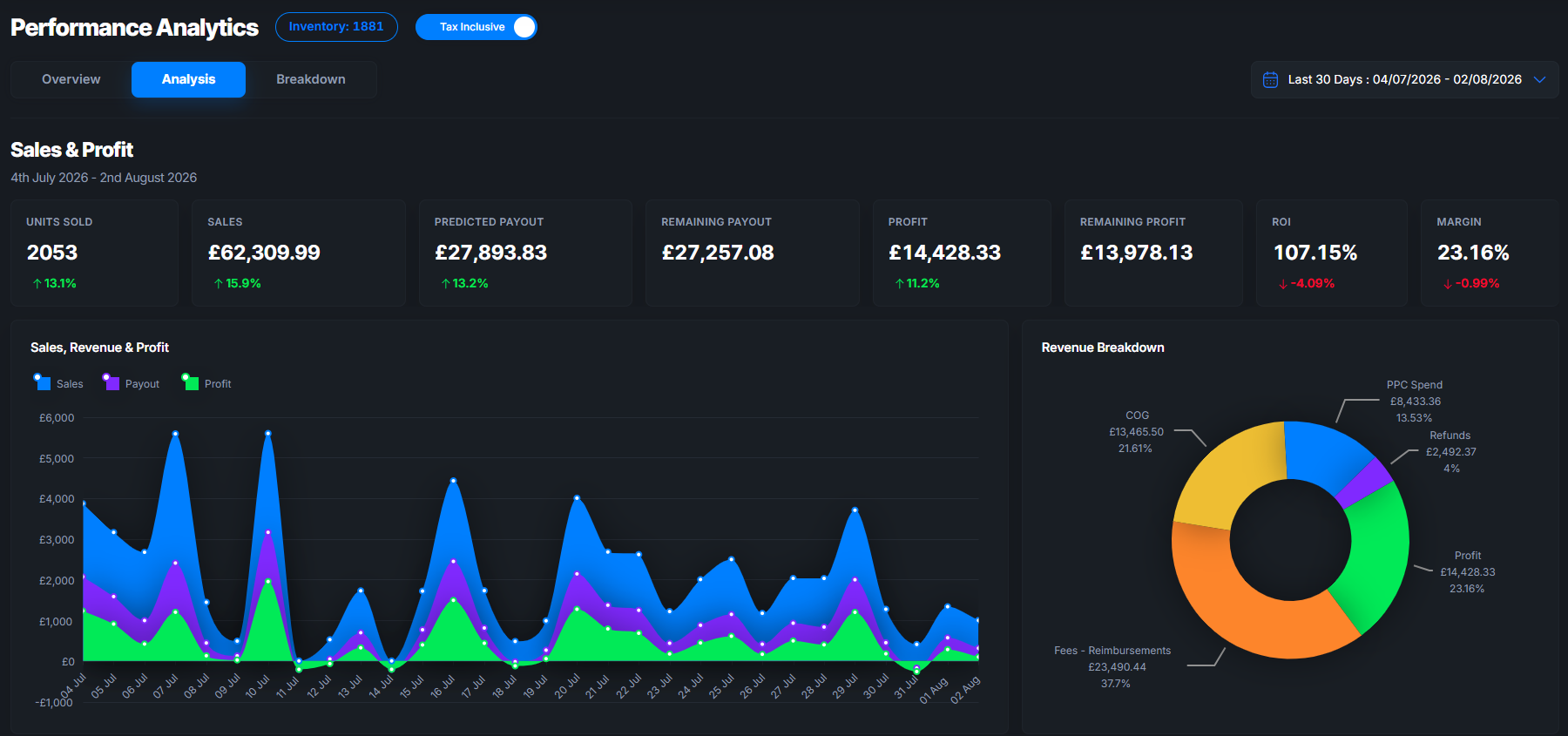
For sellers who want to move from reactive triage to proactive inventory health, Osellpa’s analytics dashboard tracks profit, listing status, and inventory signals in one place. No spreadsheets, no missed alerts. Visit Osellpa to see how the platform works and start a trial.
Sources
The pages below are the authoritative references for every step covered in this article.
When escalating to Seller Support, attach a screenshot of the Stranded Inventory report showing the stranded reason, your ASIN and SKU, and a brief note of the steps you have already taken. Cases with clear documentation resolve faster.