
Your Inventory Performance Index sits on a scale from zero to one thousand points, and it directly governs how much FBA storage space Amazon gives you. Fall below your account’s threshold and shipments get capped or held. The single most important move you can make today is identifying which component, excess stock, poor sell-through, stranded inventory, or a weak in-stock rate, is dragging your score down, then fixing that mechanically rather than guessing.
TL;DR:
- Monitoring and correcting stranded inventory immediately can significantly reduce inventory waste and boost your IPI score within days.
- Regularly adjusting replenishment quantities and running targeted promotions on slow-moving SKUs can improve sell-through and prevent capacity restrictions.
- Automating inbound shipment reconciliation and inventory management tasks helps identify discrepancies early and maintains compliance with Amazon’s thresholds.
- Tracking specific component metrics over weekly cycles offers more accurate improvement insights than focusing solely on the overall IPI score.
- Confirming your account’s actual IPI threshold on Seller Central and understanding component limits prevents unnecessary capacity restrictions.
Table of Contents
- What the IPI score is and why it determines your FBA capacity
- The four components Amazon uses and what each means for your operations
- Prioritised, step-by-step strategies to improve IPI and expected timelines
- Common pitfalls, monitoring cadence, and how automation helps
- An operator’s weekly routine for staying ahead of IPI
- Turn IPI fixes into an automatic weekly habit
- Where to verify thresholds and read further
- Sources
What the IPI score is and why it determines your FBA capacity
Amazon built the IPI as a single number that reflects how efficiently you’re managing stock across the fulfilment network. The scale runs from 0 to 1000, and Amazon uses it to set storage limits for your FBA inventory, according to Amazon’s own Seller Central guidance. Drop below the threshold your account carries and you’ll see capacity restrictions, sometimes with little warning, that can stall replenishment shipments right when you need them most.
Amazon doesn’t publish a universal cutoff. Thresholds vary by account and by category, which is why checking your own Seller Central dashboard matters more than memorising a number you read online.
Here’s what to watch beyond the headline score:
- The trend line over recent weeks, not just today’s reading
- Which component is closest to breaching its own internal limit
- Whether recent shipments have already been restricted or held
- How your threshold compares to previous months, since Amazon does adjust these
A single bad week rarely tanks your score. A pattern of overstocking or poor sell-through over several weeks will.
The four components Amazon uses and what each means for your operations
Every IPI reading breaks down into four measurable parts, and each one maps to a specific operational fix rather than a vague “do better” instruction.
- Sell-through rate measures how quickly stock moves relative to what you’ve sent in. Calculate it by dividing units sold over 90 days by average inventory on hand. A low ratio signals overbuying or weak demand, and it drags your score fastest when several SKUs sit idle simultaneously.
- Excess inventory percentage flags stock that will outlast its reasonable sell-through window. Amazon penalises this because it ties up warehouse space other sellers could use. Clearing it usually means a targeted discount, a bundle, or in the worst cases, a removal order.
- Stranded inventory is stock sitting in FBA that isn’t attached to a live, buyable listing, often from a listing error, a suppressed detail page, or a category mismatch. This causes immediate harm because that inventory earns you nothing while still counting against your score.
- In-stock rate for your replenishable SKUs measures whether your bestsellers are actually available to buy. Push too much stock in and you risk excess penalties; push too little and you risk stockouts, which also hurts the score and your sales rank simultaneously.
Pro Tip: Check stranded inventory first, every time. It’s usually the fastest fix, often just a listing correction, and it stops inventory bleeding money while doing nothing for your score.
Prioritised, step-by-step strategies to improve IPI and expected timelines
Fixing IPI works best as a triage exercise, not a single sweeping change. Treat it in three horizons.
Immediate triage (0 to 7 days). Pull your stranded inventory report and correct the listing issues causing it, whether that’s a suppressed ASIN, a missing image, or a category error. Run steep promotions on your oldest, slowest SKUs to accelerate sell-through. Where a SKU has no realistic path to selling through, request removal rather than let it sit and count against you.
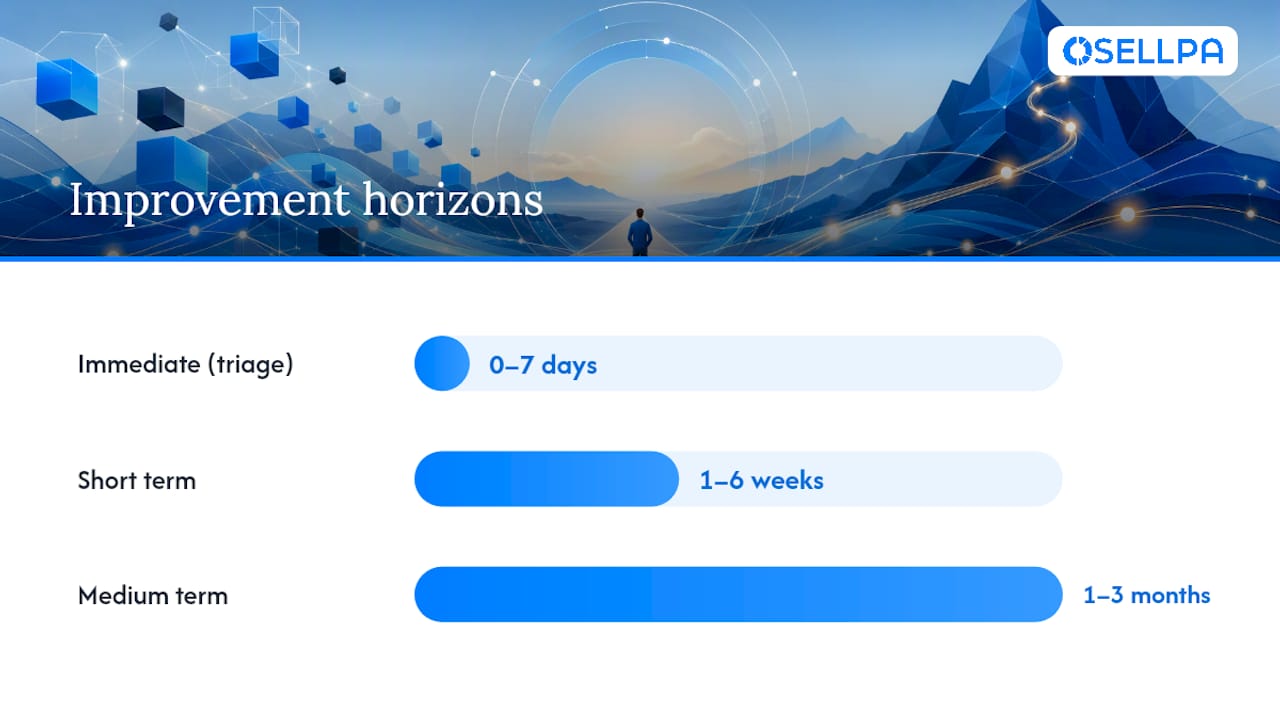
Short term (1 to 6 weeks). Layer in price promotions on mid-tier slow movers, not just your worst offenders. Optimise PPC spend toward products with healthy margin and weak sell-through so advertising dollars are doing double duty: driving sales and protecting your score. For your fast movers, adjust replenishment quantities so you’re not accidentally creating a new excess problem while solving an old one.
Medium term (1 to 3 months). This is where the real, durable gains happen. Improve your demand forecasting so future shipments match actual velocity rather than a guess based on last year’s Q4. Work on shortening supplier lead times where possible, since long lead times force you to hold more buffer stock, which inflates your excess percentage. Set up automated reconciliation between what’s inbound, what’s in prep centres, and what Amazon has actually received, so you’re never shipping blind.
- Immediate: stranded inventory fixes, aggressive promotions, removal orders on dead stock
- Short term: layered promotions, PPC reallocation, replenishment tuning for winners
- Medium term: forecasting accuracy, supplier lead time reduction, automated inbound reconciliation
Verification matters as much as the fix itself. Track the specific component metric you targeted, sell-through percentage, excess percentage, stranded units, in-stock rate, inside Seller Central’s IPI dashboard rather than the topline score alone. Because IPI moves on a trailing window, expect a lag of one to several weeks before corrective action shows up clearly, even when you’ve done everything right. Sellers who check daily and panic at noise usually make worse decisions than those who commit to a weekly review.
Common pitfalls, monitoring cadence, and how automation helps
The biggest blind spot in inventory management isn’t the IPI score itself, it’s what feeds into your reorder decisions before Amazon ever sees the stock. Amazon’s days-of-supply calculation only counts units already received at its fulfilment centres. It ignores everything sitting in transit or at a prep centre, which means sellers making reorder decisions off their internal pipeline often misjudge timing, triggering unnecessary air freight in one direction or building excess stock in the other.
The gap between what you think Amazon has and what Amazon has actually received is where most inventory mistakes are born, not in the forecasting spreadsheet, but in the reconciliation step nobody checks.
A sensible monitoring routine looks like this:
- Weekly review of the IPI trend line and each component breakdown, not just the headline figure
- Monthly reconciliation of inbound shipments against what’s actually landed and receivable
- A standing check for stranded inventory every time you update a listing
This is precisely where analytics and automation earn their keep. Osellpa integrates directly with Amazon’s API to reconcile inbound stock against on-hand quantities, automate promotional pushes on slow-moving SKUs, and surface which products need attention before the score reflects the damage. Sellers using automated tools to manage this reconciliation typically catch problems weeks before a spreadsheet review would.
An operator’s weekly routine for staying ahead of IPI
Chasing the number itself is a mistake. Fix the underlying inventory health and the score follows, usually within a few weeks given the trailing window Amazon uses to calculate it.
My routine, and the one I’d recommend to any seller managing more than a handful of SKUs, runs in three steps every week: diagnose which component moved and why, execute a specific triage action against that cause, then monitor the result before touching anything else. Resist the urge to tweak five things at once. You’ll never know which fix actually worked.
Block out 30 minutes weekly for this. It’s less time than most sellers spend arguing with Amazon support about a stranded listing they could have caught themselves.
— Harry
Turn IPI fixes into an automatic weekly habit
Manually reconciling inbound shipments against on-hand stock, hunting stranded listings, and timing promotions to hit sell-through targets eats hours every week, hours most sellers don’t have. Osellpa is built to do that reconciliation automatically, pulling inbound, prep-centre, and on-hand data together through Amazon’s API so you’re never making replenishment decisions on incomplete information. It also automates the promotional and PPC adjustments that speed up sell-through on ageing stock, the exact lever that moves your score fastest.

Beyond inventory health, Osellpa gives you clear profit tracking and AI-driven listing improvements in the same dashboard, so the fixes you make for IPI also show up in your margins. Tools don’t replace good operational habits, but they remove the manual grind that stops most sellers from acting on their numbers quickly enough. Start a trial at Osellpa and see your inventory reconciliation running automatically within a day.
Where to verify thresholds and read further
Confirm your account’s actual threshold directly on Amazon’s Inventory Performance Index help page rather than relying on a number you’ve seen quoted elsewhere. For a fuller breakdown of the four components and typical timelines, Inventory Hero’s explainer is a solid technical companion, and PrepVia’s piece on days-of-supply covers the visibility gap that catches out even experienced sellers.


