
Yes, generative AI can produce Amazon-ready listing drafts, including titles, bullets, descriptions, and A+ modules, in minutes rather than hours. Amazon’s own tools report generating more than 70% of required attributes automatically and lifting listing quality by around 40% for sellers who use them. The catch is that AI works best when it’s fed live marketplace data and checked by a human before you hit publish. Some listing tools build that data connection and edit-review loop directly into their features.
TL;DR:
- Over 70% of listing attributes can be generated automatically, but human review is crucial to ensure accuracy and compliance.
- AI handles most listing fields when fed live marketplace data, but it requires careful editing for product facts and policy restrictions.
- Combining AI with real-time Amazon data improves relevance and reduces errors, especially when integrated with keyword tracking and sales signals.
- Sellers managing large inventories benefit most from automated bulk suggestions, while smaller catalogues should use AI selectively with final human approval.
- Proper monitoring of listing quality, search indexation, and conversion metrics is essential to measure the effectiveness of AI-generated listings and avoid errors.
Table of Contents
- What can AI actually generate for an Amazon listing?
- How do you create or update a listing with AI, step by step?
- What mistakes should you avoid with AI-generated listing copy?
- Why combine generative AI with live Amazon data?
- How do you evaluate an AI listing tool or workflow?
- When should you automate listings versus keep manual control?
- How Osellpa fits into your AI listing workflow
- Sources
- FAQ
What can AI actually generate for an Amazon listing?
Generative tools now handle most of the fields that make up a standard Amazon listing. You feed in a product image, a URL, or a spreadsheet of specs, and the system drafts the rest.
Here’s what typically comes out the other end:
- Title (item name): the primary keyword-carrying field, now capped at 75 characters under 2026 guidance, with additional searchable text pushed into item highlights.
- Item highlights and bullet points: short, benefit-led lines that influence conversion more than search ranking.
- Product description: longer-form copy for standard listings without A+ content.
- Backend search terms: hidden keywords that widen relevance without cluttering the visible copy.
- Image concepts and A+ content modules: layout and copy suggestions for enhanced brand content.
- Bulk listings: entire catalogues drafted at once from a spreadsheet input.
Titles and backend terms mainly drive discoverability. Bullets, images, and A+ content mainly drive the click into a sale. Amazon still enforces strict field limits and image specifications, so no AI output goes live until it clears those rules.
How do you create or update a listing with AI, step by step?
Treat AI as a fast first draft, not a finished product. The sequence below keeps quality and compliance intact while still saving hours of manual copywriting.
- Gather source data. Pull SKU specifications, the ASIN, current product images, and a batch of recent customer reviews. Extract the top three recurring pain points or praise points customers mention.
- Generate drafts. Use Seller Central’s generative tools under “Add Products,” uploading an image, URL, or spreadsheet, or run the same brief through an external AI tool. Amazon’s own documentation confirms all three input types work. Keep the title, item highlights, bullets, and A+ modules as separate drafts rather than one long block.
- Edit for fact and policy. Check every measurement, material claim, and compatibility statement against the actual product sheet. Strip out anything that reads as a forbidden claim (medical, guarantee-style, or superlative language Amazon’s policy team flags).
- Add backend search terms and verify indexing. Once the visible copy is locked, layer in backend keywords and confirm they’re actually being indexed rather than just present in the listing.
- Stage as a draft. Where the catalogue size allows it, run an A/B experiment on the new title or main image before rolling it out fully.
- Publish and monitor. Track the listing quality score, conversion rate, and keyword indexation over the following one to two weeks.
- Iterate. Feed new review data and search-term performance back into the next AI draft cycle.
Pro Tip: Never let AI write your title and bullets in one pass and publish both unread. Generate them separately, so a factual error in the bullets doesn’t force you to redo the title too.
What mistakes should you avoid with AI-generated listing copy?
AI drafts read fluently, which is exactly why they’re risky. Confident-sounding copy about a product’s dimensions or ingredients can be wrong, and Amazon holds the seller responsible for the listing regardless of who wrote it.
Watch for these recurring pitfalls:
- Unverified specs and claims. Always cross-check measurements, materials, and legal claims against the actual product sheet rather than assuming the AI got it right.
- Promotional language creeping into titles or bullets. Amazon’s policy team penalises subjective claims and pricing language in these fields.
- No edit log. Without a record of what changed and when, you can’t tell which edit caused a conversion shift.
- Ignoring review data. The best AI-drafted bullets echo language customers actually use, not generic feature lists.
- Accepting automated title splits blindly. When a system auto-splits a long title into item name plus highlights, check the split still reads naturally and keeps the primary keyword near the front.
Pro Tip: Keep a simple spreadsheet log of every AI-driven edit, the date, and the conversion rate before and after. It takes five minutes and turns guesswork into a pattern you can actually act on.
Why combine generative AI with live Amazon data?
A model trained on general text has no idea what’s trending on Amazon this month. Feeding it live marketplace signals through direct API integrations or the Model Context Protocol (MCP) changes that entirely.
Data-integrated workflows draw on current demand, best-seller rank, and real keyword search volumes, so suggestions stay seasonally and competitively relevant rather than generically plausible. This grounding is what actually reduces hallucinated specs and prioritises keywords with proven search volume, instead of ones that merely sound relevant.
Practical integrations worth having in place:
- Keyword tracker feedback showing which terms are actually indexed and ranking.
- PPC conversion signals that reveal which listing copy variants customers respond to.
- Listing quality diagnostics that flag missing fields or policy risks before publishing.
How do you evaluate an AI listing tool or workflow?
Not every tool marketed as “AI-powered” is built the same way. Before adopting one into your process, run it against a short checklist.
Ask whether it pulls from live marketplace data through an API or MCP connection, or whether it only generates from static, general-purpose model outputs with no Amazon-specific grounding. Check the editorial control on offer: can you edit at field level, apply a consistent brand voice, and save style templates, or does it force one-shot generation with no revision path?
Look for bulk capability with version history, so large catalogues can be updated in batches with a rollback option if something goes wrong. Confirm it reports measurable outcomes, ideally a listing quality score, index checks, and exportable conversion data, since 40% listing quality gains only mean something if you can measure your own baseline against it.
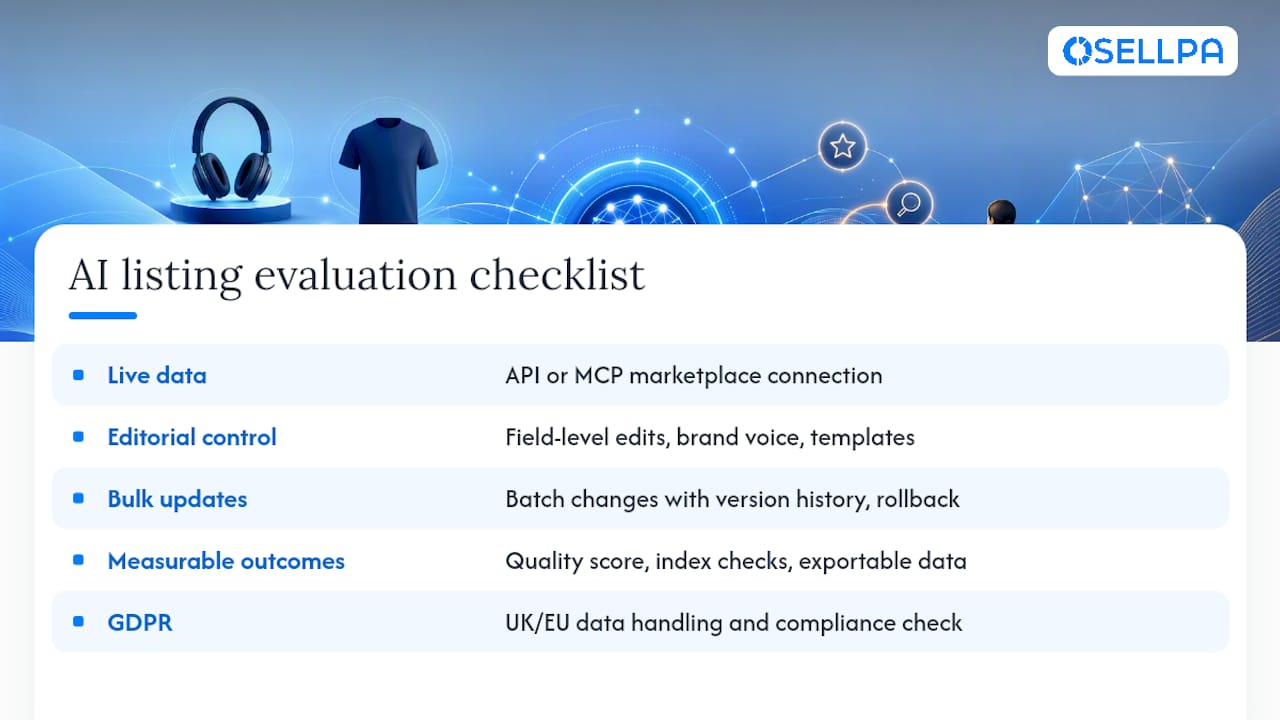
Finally, for sellers operating in and from the UK or EU, check the provider’s data handling and GDPR compliance before connecting it to your Amazon account.
When should you automate listings versus keep manual control?
Automation earns its keep fastest for sellers running large catalogues or working with limited copywriting resources; a single person managing 200 SKUs simply cannot hand-write every bullet point. Smaller catalogues, by contrast, often do better with selective automation: let AI draft, but keep a human writing the final title for your hero products.
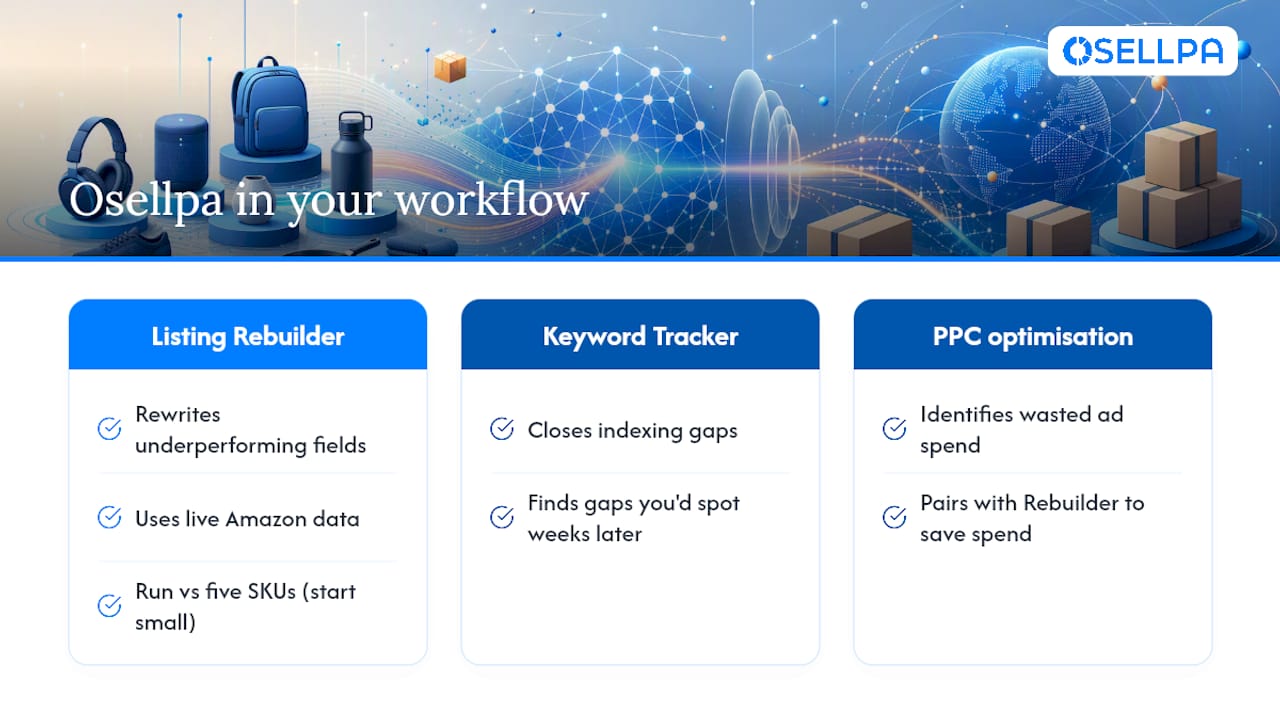
Osellpa’s approach reflects that split. Its Listing Rebuilder and Keyword Tracker tools combine live Amazon data with AI-assisted edits, rather than generating copy in isolation. If you’re testing the waters, pick five to ten underperforming SKUs, measure listing quality and conversion lift over two to four weeks, then decide whether to scale the approach across the rest of the catalogue.
— Harry
How Osellpa fits into your AI listing workflow
There are other ways to draft listing copy, from Amazon’s native generative tools to standalone title generators that produce a quick headline from a prompt. Some listing tools pair AI-driven edits with actual Amazon sales, PPC, and keyword data, so the copy suggested is grounded in actual account data rather than guesswork.
The Listing Rebuilder rewrites underperforming fields using that live data, while the Keyword Tracker closes indexing gaps you’d otherwise only spot weeks later. Pair both with Osellpa’s PPC optimisation reports and you can cut wasted ad spend at the same time you’re improving the listing itself.
Start small: run the Listing Rebuilder against five underperforming SKUs, or request the free PPC optimisation report to see where your current spend is being lost.
Sources
For further reading, consult Amazon’s own generative AI documentation for feature specifics, the AWS MCP integration guide for data-grounding architecture, and Amazon’s seller AI announcements for platform-wide feature rollouts.
FAQ
Can I use AI to create an Amazon listing?
Yes. Amazon’s own generative tools let you upload a product image, URL, or spreadsheet and draft a title, bullets, description, and A+ content directly in Seller Central.
Can AI help me sell on Amazon?
AI helps most with drafting and scaling listing copy quickly, but human verification and testing remain essential for accuracy and actual conversion gains.
Is Amazon doing anything with AI?
Amazon has rolled out multiple seller-facing generative AI features, including tools like Enhance My Listing, and continues expanding AI support for listing creation and maintenance.
What is Amazon’s AI called?
Amazon doesn’t market a single branded consumer AI name for seller tools; its generative listing features sit inside Seller Central under “Add Products” and the A+ Content Manager, alongside broader AI initiatives detailed on About Amazon.
Does AI-generated content affect Amazon SEO?
Titles and backend search terms generated by AI influence relevance and ranking, while bullets, images, and A+ content mainly affect conversion once a shopper has clicked through, so both need separate attention rather than one blanket AI pass.


